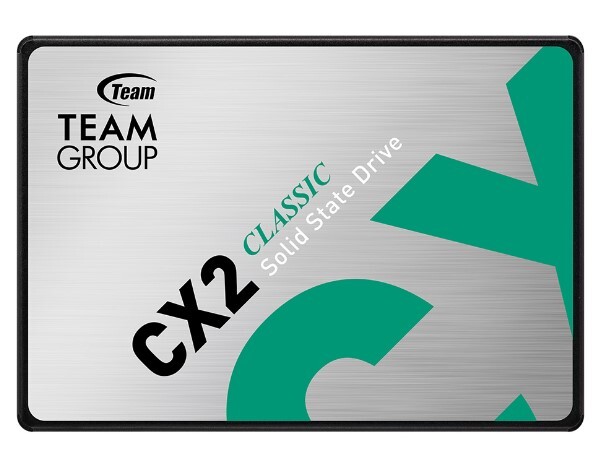
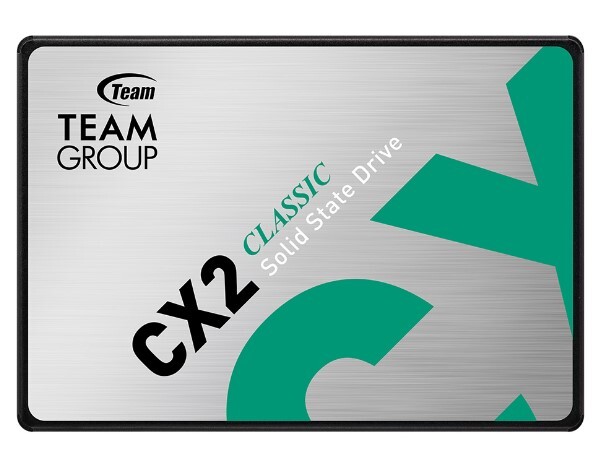
About TEAMGROUP CX2 256GB 2.5 SATA SATA 3 NAND Solid State Drive (SSD)
- A must-have for beginners who want to replace their traditional mechanical hard drive
- Advanced SLC Caching technology
- Shock and drop resistant for safe use
- ECC (Error Correction Code) function enhances efficiency
Advanced SLC Caching technology. 4 times faster
The teamgroup ssd advanced SLC Caching algorithm technology makes its read/write speed easily 4 times[1] faster than traditional hard drives.
A must-have upgrade to keep up with the times
Different from traditional mechanical hard drive, the CX2 with innovative and bold design uses FLASH technology with low power consumption and high-speed transfer features. It is the best choice for replacing traditional hard drives. Discover the perfect balance of performance and affordability with our unbeatable ssd drive.
Shock and drop resistant for safe use.
Quiet and lightweight
CX2 Solid state drives are shock and drop resistant (1500G/0.5ms) and do not make annoying mechanical noises. It can also effectively avoid computer crash due to kicking.
Wear-Leveling prolongs the service life greatly
The powerful Wear-Leveling technology and ECC (Error Correction Code) function enhance the reliability of data transfer and prolong the service life of the SSD.
Specifications of TEAMGROUP CX2 256GB 2.5 SATA SATA 3 NAND Solid State Drive (SSD)
| Model |
| Brand |
Teamgroup |
| Model |
CX2 |
| Performance |
| Interface |
SATA III 6Gb s |
| Capacity |
256 GB |
| Type |
Internal Solid State Drive |
| Read Speed |
Up to 520 MB/s |
| Write Speed |
up to 430 MB/s |
| MTBF |
1,000,000 hours |
| Physical Spec |
| Dimensions |
100(L) x 69.9(W) x 7(H) mm |
High-Speed Performance for Everyday ComputingThe TEAMGROUP CX2 256GB SSD delivers quick boot-ups, rapid file access, and seamless multitasking thanks to its impressive read and write speeds. Engineered for efficiency, it uses advanced 3D NAND flash technology and a high-performance controller, ensuring consistent operation for both desktops and laptops.
Reliable and Durable Storage SolutionWith a total bytes written (TBW) rating of up to 120 TB and a mean time between failure (MTBF) of 1,000,000 hours, the CX2 SSD is built for long-term reliability. It also features a robust shock resistance of 1500G/0.5ms and can retain data for up to three years at 40C, making it a safe choice for important data storage.
Effortless Installation and Broad CompatibilityDesigned for the standard 2.5-inch SATA bay, installation of the CX2 256GB SSD is straightforward for both beginners and experienced users. The drive supports SATA III 6Gb/s and is backward compatible with SATA II, ensuring wide compatibility with most modern and older systems running Windows, Linux, or Mac OS.
FAQ's of TEAMGROUP CX2 256GB 2.5 SATA SATA 3 NAND Solid State Drive (SSD):
Q: How can I install the TEAMGROUP CX2 256GB SSD in my laptop or desktop?
A: To install the TEAMGROUP CX2 SSD, simply insert it into an available 2.5-inch SATA bay and connect it to your system's SATA III (or SATA II) port using a compatible cable. Secure the drive, then power on your device and format the SSD as required by your operating system for use.
Q: What benefits does upgrading to the CX2 256GB SSD provide?
A: Upgrading to the CX2 256GB SSD results in faster boot times, improved system responsiveness, quicker file transfers, and enhanced overall performance compared to traditional hard drives. Its energy-efficient design also helps extend battery life in laptops.
Q: When should I consider replacing or upgrading my SSD?
A: Consider upgrading your SSD if you notice slow performance, require more storage capacity, or want to take advantage of new technology like 3D NAND for improved speed and durability. The CX2 comes with a 3-year warranty, reflecting confidence in its long-term reliability.
Q: Where can the TEAMGROUP CX2 256GB SSD be used?
A: The CX2 SSD can be used in a variety of devices, including desktops, laptops, and notebooks that support a 2.5-inch SATA drive. Its compatibility with Windows, Linux, and Mac OS makes it a versatile internal storage upgrade.
Q: What is the process for data migration to the new CX2 SSD?
A: Data migration typically involves connecting the CX2 SSD to your system, using cloning software to duplicate your existing drive, and then swapping the drives. Ensure your data is backed up before starting the migration process for best results.
Q: Is the TEAMGROUP CX2 256GB SSD equipped with data protection features?
A: While the CX2 SSD does not feature hardware encryption, it supports TRIM and S.M.A.R.T. commands for maintaining long-term performance and monitoring drive health. Its robust build offers significant shock resistance and dependable data retention.






 Send Inquiry


 Send Inquiry